

A Hands‑Free Revolution
Voice assistants have become a cornerstone of modern homes because they let residents control lighting, climate, security and entertainment without touching a switch. In busy households, a spoken command can replace a cascade of manual steps, freeing hands for cooking, caring for children, or working from a home office. The key benefits of hands‑free operation include increased convenience, faster response times, and improved accessibility for people with mobility challenges. Voice‑driven routines also boost energy efficiency by automatically turning off lights or adjusting thermostats when rooms are empty, and they enhance safety by allowing instant arming of security systems or calling for help without fumbling for a keypad. The three dominant platforms in the United States are Amazon Alexa, Google Assistant and Apple Siri. Alexa offers the widest device compatibility, Google Assistant integrates tightly with Google services, and Siri provides on‑device processing and deep HomeKit integration for privacy‑focused users daily use.
Understanding Voice‑Control Fundamentals
Voice‑control systems begin with wake‑word detection, the tiny‑time listening stage that listens for a phrase such as “Hey Google” or “Alexa.” Modern assistants use on‑device neural networks to recognize the wake word with millisecond latency, then hand the audio off to either cloud‑based natural‑language processing (NLP) or local processing. Cloud NLP offers the richest language models and continuous updates, but it requires an internet connection and stores voice data in the cloud. Local processing—found in premium solutions like Josh.ai or Google’s Gemini for Home—executes commands on the device itself, delivering faster responses and keeping the audio private.
Natural‑language processing basics involve three steps: Automatic Speech Recognition (ASR) converts spoken words to text; NLP parses intent, entities, and context; Text‑to‑Speech (TTS) delivers spoken feedback. The assistant must map intents (e.g., “turn on kitchen lights”) to device‑specific actions via a hub that bridges Zigbee, Z‑Wave, Matter, or Wi‑Fi protocols.
Android Voice Access and Google Assistant let Android phones be fully voice‑operable. After installing Voice Access from the Play Store and enabling it under Settings → Accessibility → Interaction controls, users launch it with “OK Google, start Voice Access.” Commands such as “open Gmail,” “go back,” or “type hello” navigate the UI, scroll, and edit text. Pairing Voice Match in the Google Home app personalizes responses and synchronizes voice profiles across all linked devices, turning a smartphone into a hands‑free smart‑home controller.
Voice control Android: Android devices can be controlled entirely by voice using Google Assistant and Voice Access, enabling navigation, app launch, text entry, and smart‑home commands without touching the screen.
Google Home commands funny: The assistant includes Easter‑egg jokes, beatboxing, and pop‑culture replies (e.g., “Wubba lubba dub dub”) that add humor to routine interactions.
What is Alexa's secret mode? Saying the Konami‑code phrase “Alexa, up, up, down, down, left, right, left, right, B, A, start” triggers a hidden response mode, though it does not unlock new capabilities.
Choosing the Right Voice Assistant for Your Home
Alexa vs. Google Assistant vs. Siri
Amazon Alexa leads with the widest third‑party ecosystem, supporting over 100,000 compatible devices and an extensive Skills store. Google Assistant offers deep integration with Android, Google services, and superior natural‑language context, while Apple Siri (via HomeKit) emphasizes on‑device processing and tight iOS/macOS security. Choose the platform that aligns with your primary devices and ecosystem preferences.
Privacy considerations and local processing
Cloud‑based assistants store recordings for analytics, but premium solutions like Josh.ai and Apple HomeKit perform most parsing locally, reducing data exposure. Look for devices that enable voice‑biometrics or on‑device NLP, and always review each platform’s retention policy. Enabling two‑factor authentication and WPA3 Wi‑Fi encryption adds further protection.
Best Alexa devices for different rooms
- Voice‑only zones: Echo Dot (4th Gen) delivers clear audio and affordable setup, ideal for bedrooms or hallways.
- Visual hubs: Echo Show 8 provides an 8‑inch screen for video calls, recipes, and camera feeds—perfect for kitchens or living‑room tables.
- Premium audio: Echo Studio’s spatial audio suits dedicated listening rooms or home theaters.
- Large‑screen countertop: Echo Show 11 combines an 11‑inch display with robust sound for family gathering spaces.
Best Alexa for home
The Echo Dot (4th Gen) offers the best value for voice‑only control throughout the house, delivering clear sound and easy setup at an affordable price. For rooms where you want visual feedback, video calls, or a kitchen hub, the Echo Show 8 provides a bright 8‑inch display and built‑in camera while still delivering solid audio. If high‑fidelity music is a priority, the Echo Studio’s premium speakers and spatial audio make it the top choice for living‑room listening. The Echo Show 11 is ideal for countertops and larger spaces, combining a larger 11‑inch screen with spatial audio for multitasking. Together, these three models cover the main home scenarios—voice‑only, visual interaction, and premium sound—making them the best Alexa options for a modern household.
Which smart home devices work with voice control and AI assistants?
Smart lighting fixtures, switches, thermostats, door locks, security cameras, motion sensors, and connected appliances can all be controlled by voice using Alexa, Google Assistant, or Siri when labeled “voice‑control compatible.” Brands such as Aeotec, Yale, SmartThings, Leviton, FIBARO, and Qolsys provide products that integrate directly with these platforms, enabling on‑demand automation across lighting, climate, security, and entertainment.
Which Assistant controls the appliances at home?
Control smart home devices with Google Assistant. You can manage lights, switches, outlets, and thermostats using voice commands through Google Home.
Is it what are the best smart devices for voice‑controlled home automation?
Top voice‑controlled devices include Amazon Alexa‑enabled Echo speakers, Google Assistant‑powered Nest speakers/displays, Apple HomePod mini with Siri, and Samsung SmartThings Hub for broader ecosystem integration. Combining a primary hub (Echo or Nest) with room‑specific speakers or displays ensures comprehensive coverage throughout the house.
Integrating Voice Control with Smart Home Appliances
Linking Alexa‑compatible devices
- Open the Alexa app, tap Devices, then the + icon and select Add Device → Light (or the appropriate category). 2. Choose the bulb’s brand; if a skill is required, enable it under Skills & Games and log into the manufacturer’s account. 3. Follow the on‑screen prompts to connect the bulb to your Wi‑Fi network. 4. After setup, tap Discover Devices; Alexa will locate and name the new light. 5. Assign the light to a room or group for multi‑device commands. 6. Test with a phrase such as “Alexa, turn on the living‑room lights.”
Using Alexa with home appliances
- Install the Amazon Alexa app and sign in. 2. In the Alexa Skills Store, search for the appliance brand’s skill (e.g., “Home Connect”), enable it, and log in with the brand’s credentials. 3. The appliances appear in the Devices tab; organize them into rooms or groups. 4. Create Routines if you want a single command to trigger several actions (e.g., “Alexa, start the coffee maker and play morning news”). 5. Control the appliance with simple commands like “Alexa, preheat the oven to 350 degrees” or “Alexa, start the dishwasher.”
Google Home and Nest integration steps
- Open the Google Home app, tap Add → Set up device → Works with Google. 2. Select the manufacturer, follow the linking process, and give each device a clear nickname (e.g., “kitchen lights”). 3. Assign devices to rooms for context‑aware commands. 4. Voice commands always begin with “Hey Google” or “OK Google,” followed by actions such as “turn off the bedroom lights,” “set the thermostat to 72 degrees,” or “lock the front door.” 5. Media commands include “play jazz on Spotify,” volume adjustments, alarms, timers, and reminders. 6. Use the Routines tab to bundle actions like “Good morning” (lights on, thermostat up, coffee started).
Apple Siri setup basics Siri works through Apple HomeKit. Open the Home app on an iPhone or iPad, tap + → Add Accessory, and scan the HomeKit QR code on the device. After the accessory appears, assign it to a room and give it a concise name. Voice control is then as simple as “Hey Siri, set the bedroom lamp to 25 %,” or “Hey Siri, lock the front door.” HomeKit processes most commands locally, enhancing privacy for U.S. users who prioritize data security.
By following these streamlined steps, U.S. homeowners can connect lights, thermostats, security systems, and kitchen appliances to Alexa, Google Assistant, or Siri, creating a unified, privacy‑aware, and future‑proof voice‑controlled smart home.
Voice‑Enabled Smart Home Controllers and Panels

Amazon’s Echo Hub and the Echo Show series serve as the visual heart of a modern Alexa‑driven smart home. The Echo Hub is a wall‑mounted, 10.1‑inch touchscreen that lets homeowners view and manage lights, locks, cameras, thermostats and more from a single panel. It works hand‑in‑hand with Alexa’s voice commands and supports Wi‑Fi, Bluetooth, Zigbee, Matter and Amazon Sidewalk, meaning the majority of U.S. smart‑home devices can be added without extra bridges. For families that prefer a multifunctional speaker with a display, the Echo Show lineup (8‑inch, 10‑inch, and 10‑inch 2nd‑gen) offers up to four live camera feeds, video‑chat and shortcut tiles, turning each device into a secondary control panel while still handling voice‑first automation.
Integration of the newer Matter standard alongside legacy Zigbee and Sidewalk gives the Echo Hub a future‑proof edge. Matter‑compatible lights, switches and sensors communicate directly over Wi‑Fi or Thread, while Zigbee devices such as Philips Hue bulbs or Lutron Caseta switches continue to work through the built‑in radio. Sidewalk extends low‑power connectivity to battery‑operated accessories like door/window sensors, ensuring reliable coverage even in hard‑to‑reach corners of a house.
Pricing and feature comparison show a clear hierarchy of options. The Echo Hub is priced at $179.99 and includes a 10.1‑inch HD touchscreen, customizable widgets for one‑tap routines and the full suite of wireless protocols. Echo Show devices start at $129 for the 8‑inch model and rise to $229 for the 10‑inch 2nd‑gen, offering larger screens and premium audio but relying on the Echo’s built‑in Zigbee radio (or a separate bridge for Matter). Entry‑level Echo speakers such as the Echo Dot ($49.99) and Echo Pop ($24.99) provide voice‑only control and can act as hubs when paired with a dedicated bridge. A basic Alexa smart‑home kit—Echo Hub, a few smart plugs, motion sensors and a quick‑start guide—can be assembled for under $200, while a full‑home deployment with premium lighting, cameras and thermostats typically ranges between $500 and $1,000, depending on device count and brand choices.
Advanced Automation, Routines and Personalization
Modern voice‑controlled homes go far beyond simple on/off commands; they rely on custom scenes, time‑based automations, and voice‑recognition that tailors settings to each resident while protecting privacy.
Custom scenes and time‑based automations – A "scene" groups devices such as dimmable lighting, motorized blinds, thermostatic radiator valves, and entertainment systems into a single logical action. With platforms like Control4, Alexa Routines, or Google Home Shortcuts, a homeowner can say "Goodnight" and instantly dim lights, lower blinds, lock doors, and arm the security system. Advanced automation can incorporate time‑based scenes, occupancy detection, and voice‑recognition for personalized settings and secure access. Time‑based triggers add further intelligence: a "Morning" scene can raise blinds, start the coffee maker, and set the thermostat to a comfortable temperature at 7 a.m., while occupancy detection can automatically turn off lights when a room is empty, saving up to 10 % of residential electricity use.
Voice‑recognition for personalized settings – Advanced assistants such as Josh.ai and Home Assistant with local speech‑to‑text engines can distinguish between household members. Each user’s voice profile can invoke personalized lighting scenes, preferred music playlists, or climate set‑points, creating a truly hands‑free experience that adapts to individual habits.
Privacy‑focused processing and local assistants – While most cloud‑based assistants send audio to remote servers, many U.S. consumers now opt for on‑device processing. Home Assistant can run Whisper or Rhasspy locally, paired with the Piper TTS engine, ensuring that no voice data leaves the home network. The Home Assistant Voice Preview Edition offers a dedicated speaker with dual microphones, a mute switch, and offline wake‑word detection, delivering instant responses without sacrificing privacy.
Voice control smart home integration app – The most popular integration apps are Google Home (Google Assistant), Amazon Alexa, Apple HomeKit (Siri), and the open‑source Home Assistant. Android users also benefit from the Smart Voice Command app, which adds Siri compatibility and quick voice‑to‑text conversion, while the Smart Life/Tuya Smart app provides plug‑and‑play control for budget‑friendly gear. Choosing an app that supports multi‑device compatibility, reliable local or cloud connectivity, and custom voice routines is essential for a seamless, energy‑efficient, and secure smart home.
Smart home voice control devices – Devices range from mainstream speakers (Amazon Echo, Google Nest Mini, Apple HomePod) to dedicated hubs like Josh.ai Pro and Control4 controllers. Voice‑enabled peripherals—including Philips Hue and L LX bulbs, Ecobee or Nest thermostats, and August or Yale smart locks—can be grouped into scenes and activated by a single command. Platforms such as Control4 bridge these devices to Alexa, Google Assistant, or Siri, while premium solutions like Josh.ai add contextual awareness and OTA updates for a polished, personalized experience.
Does SmartThings have voice control? – Yes. After installing the SmartThings app, users enable a voice assistant (Bixby, Google Assistant, or Alexa) via Menu → Voice assistant. Once linked, commands like "Hey Google, start the dryer" or "Alexa, lower the air‑conditioner temperature" control lighting, plugs, appliances, and scenes.
Home Assistant local voice control – Home Assistant can run offline speech‑to‑text engines (Speech‑to‑Phrase, Whisper, or Rhasspy) on hardware such as a Raspberry Pi 4, Home Assistant Green, or a small NUC. Paired with the Piper TTS engine, users access a fully local voice assistant via the Voice Preview Edition speaker or custom ESP32 satellites, keeping all audio processing on‑premises for maximum privacy.
Can you use voice control with Home Assistant? – Absolutely. The Home Assistant Cloud adds cloud‑based speech‑to‑text and TTS, while the Voice Preview Edition provides a dedicated offline speaker. Users can connect the device via USB‑C, link it to their Home Assistant instance, and issue commands like "turn on the lights" or "set a timer".
Home Assistant voice control without cloud – By installing Rhasspy or Whisper locally and using a microphone‑speaker pair (or ESPHome satellites), audio never leaves the device. The Home Assistant Voice Preview Edition offers built‑in wake‑word detection and dual microphones for a turnkey offline solution, enabling control of lights, media, climate, and queries without any cloud dependency.
Performance Optimization, Networking and Troubleshooting
Strategic placement of voice assistants is essential for reliable wake‑word detection and low latency. Position speakers in central locations, avoid obstructing walls or large metal objects, and keep them a few feet away from loud appliances or TV speakers. For multi‑room setups, distribute devices evenly so each area has a clear line‑of‑sight to the router.
Network segmentation further improves performance by isolating smart‑home traffic from high‑bandwidth activities such as streaming or gaming. Create a dedicated SSID or VLAN for IoT devices, enable WPA3 encryption, and prioritize voice‑assistant packets with QoS rules on a capable router. This reduces jitter and prevents packet loss that can cause missed commands.
Common troubleshooting steps begin with checking power, microphone mute status, and Wi‑Fi connectivity. Verify that the device and the controlling phone are on the same network, update firmware via the companion app, and reboot the speaker if needed.
Google Home voice commands not working – Ensure the device is plugged in, microphone unmuted, and the LED dots light when saying “Hey Google.” Restart the speaker, confirm Voice Match and hot‑word settings in the Google Home app, retrain Voice Match if necessary, and install any pending firmware updates.
Google Nest voice commands not working – Confirm power and microphone status, watch for LED activation, and reboot the Nest device. Check Wi‑Fi stability, update the Google Home app, adjust hot‑word sensitivity, retrain Voice Match, and submit a usage‑and‑crash report via the app’s Feedback section if problems persist.
DIY Voice‑Controlled Projects with Arduino
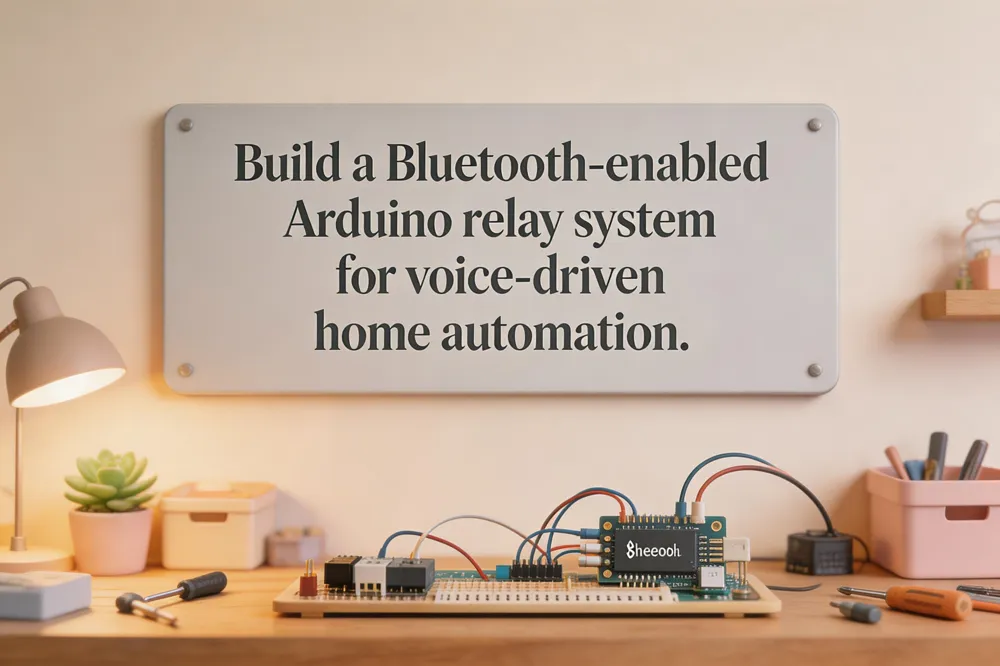
Building a voice‑controlled home‑automation system with Arduino is an affordable way to prototype smart‑home functionality. The core low‑cost hardware consists of an Arduino Uno, an HC‑05 Bluetooth module for wireless communication, and a 2‑channel (or multi‑channel) relay board that switches AC loads such as lamps, fans, or small appliances. The HC‑05 pairs with an Android smartphone running a voice‑to‑text app (e.g., IoTBoys); spoken commands like “red on” or “all off” are converted to text and sent over a serial Bluetooth link to the Arduino. On the Arduino side, a simple open‑source sketch reads incoming strings, parses the command, and activates the appropriate relay pins, turning the corresponding devices on or off. The project’s methodology includes wiring the relays to the Arduino’s digital outputs, powering the HC‑05 at 3.3 V, and ensuring safe isolation for mains connections. A complete PDF report—containing detailed circuit diagrams, full source code, a step‑by‑step build guide, and a discussion of applications for assistive technology and educational labs—is available for download, providing a ready‑to‑use reference for hobbyists and developers alike.
Bringing It All Together
Voice‑controlled smart homes deliver convenience, energy savings, and enhanced security by letting occupants manage lighting, climate, appliances, and locks with simple spoken phrases. Coordinated routines such as “Goodnight” or “Leave home” instantly adjust multiple devices.
To integrate appliances, first ensure Wi‑Fi connectivity and register each product in its native app (e.g., GE SmartHQ, LG ThinQ, Samsung SmartThings). Enable the corresponding Alexa, Google Assistant, or Siri skill, then use “Discover devices” to assign a clear, unique name. Test basic commands—turn on, set temperature, start a cycle—before creating Routines that combine several appliances with one phrase. Place the voice hub where microphone pickup is optimal and confirm it supports Zigbee, Z‑Wave, Matter or Wi‑Fi as needed.
Future trends point to edge‑processing chips and on‑device AI, which will cut cloud dependence, speed responses, and strengthen privacy. The Matter standard promises cross‑brand compatibility, while voice‑biometric authentication will let households personalize access without sending recordings to third‑party services. Users can also enable local processing options, restrict voice‑record storage, and review permission settings to keep personal data under control.