

Why Mobile Security Matters
Smartphones are now the primary repository of contacts, photos, banking details, health records and even biometric identifiers. This concentration of personal data makes them a high‑value target for attackers exploiting a rapidly expanding threat landscape that includes AI‑driven malware, smishing, NFC‑based skimming and zero‑day exploits. Each breach can lead to identity theft, financial loss, or exposure of sensitive corporate information.
Choosing an unlocked, SIM‑free device from Tidesmit adds a layer of protection beyond the software measures you apply. Because Tidesmit sources every handset through authorized channels, customers receive authentic models that ship with full‑disk encryption, timely OTA security patches and hardware‑backed secure elements—all verified by the original manufacturers. Unlocked phones also let you select trusted carriers, enable eSIM or dual‑SIM configurations for redundancy, and avoid carrier‑imposed firmware that may delay critical updates. In short, a reputable unlocked device equips you with the strongest baseline security while you implement best‑practice habits such as strong passwords, regular backups, VPN use and vigilant permission management.
Lock Screens, Biometrics, and Strong Authentication
Choosing a lock method that balances convenience and security is the first step in protecting a smartphone. Security current best practice is to set a long, random PIN or password (minimum 8‑12 characters) and pair it with a biometric authentication such as a fingerprint or facial scan. This dual‑layer lock makes brute‑force attacks far less effective and leverages the device’s built‑in encryption to protect data at rest. Auto‑lock should be configured for the shortest practical interval—30 seconds to one minute—so the screen relocks immediately after inactivity, reducing the window for unauthorized access.
Two‑factor authentication (2FA) adds an extra verification step for any account accessed from the phone. After entering the password, the user must confirm a push notification, enter a time‑based code, or use a hardware security key. Even if a password is stolen, the attacker cannot bypass the second factor, dramatically lowering the risk of credential compromise.
What is the most secure way to lock my phone? Use a long, random PIN or password (at least 8‑12 characters) combined with biometric authentication such as fingerprint or facial recognition. Enable auto‑lock after 30 seconds to a minute of inactivity to minimize exposure.
How does two‑factor authentication protect my mobile accounts? Two‑factor authentication (2FA) adds a second verification step—typically a push notification, authenticator code, or hardware key—so that even if a password is compromised, attackers cannot access the account without the second factor.
Keeping the System and Apps Up‑to‑Date
Keeping your smartphone’s operating system and every installed app current is a cornerstone of mobile security. Automatic operating system updates and app updates deliver security patches that close known CVEs, mitigate zero‑day exploits, and often tighten privacy controls—so enabling them ensures you receive fixes the as soon as they are released. Vendor‑specific update cycles differ: Android devices receive monthly security patches from Google, while iOS typically bundles updates in quarterly or yearly releases, and manufacturers such as Samsung or Google add their own firmware updates on top of the base OS. For apps, set the app store to update automatically; if you prefer manual control, review the store at least once a week and install any pending updates immediately. Regular patch management reduces the attack surface, prevents malware from exploiting outdated code, and keeps built‑in security features—like encryption and biometric authentication—functioning at their best. By staying current, you protect personal data, maintain device integrity, and enjoy the latest security enhancements.
Managing App Permissions and Privacy Settings
Modern smartphones give you a central hub to control what each app can see and do. On Android, open Settings → Privacy → Permission manager (or the Privacy Dashboard (the Android Safety Center) to view a list of apps that have accessed the camera, microphone, location, contacts and other sensors in the last 24 hours. iOS users go to Settings → Privacy → Permission (the privacy dashboard) for a similar overview. Use these tools to limit access to only what is required: choose “while using the app” for location, deny microphone or camera access for apps that don’t need it, and restrict contacts to messaging apps that truly need them. Perform regular audits—once a month, open the permission manager, scan for apps with broad or unnecessary rights, and revoke them. If an app repeatedly asks for excessive permissions, either deny the request, switch to the more restrictive mode, or uninstall the app if it isn’t essential. Keeping permissions tight reduces data leakage, prevents malicious exploitation, and helps maintain your privacy while still enjoying the functionality you need.
Secure Connectivity: Wi‑Fi, VPNs, and Public Networks
Open Wi‑Fi hotspots are a fertile ground for eavesdropping, man‑in‑the‑middle attacks, and smishing—phishing via SMS that often lures users into entering credentials on insecure sites. To protect yourself, avoid transmitting sensitive data on public networks and prefer HTTPS‑only browsing. A VPN is essential on public Wi‑Fi; it creates an encrypted tunnel that shields your traffic from passive sniffers and active attackers, ensuring that passwords, banking details, and personal messages remain confidential.
When you are not using wireless interfaces, disable Wi‑Fi and Bluetooth to eliminate unnecessary exposure to rogue access points and Bluetooth‑based exploits. Many devices allow you to turn these radios off automatically when the screen locks or after a period of inactivity, reducing the attack surface.
In addition to a VPN, enable Android’s Mobile Threat Defense or similar security apps that can flag suspicious links and block smishing attempts. Regularly review app permissions and keep the operating system and apps up to date to stay ahead of emerging threats.
Backup, Remote Wipe, and Device Encryption
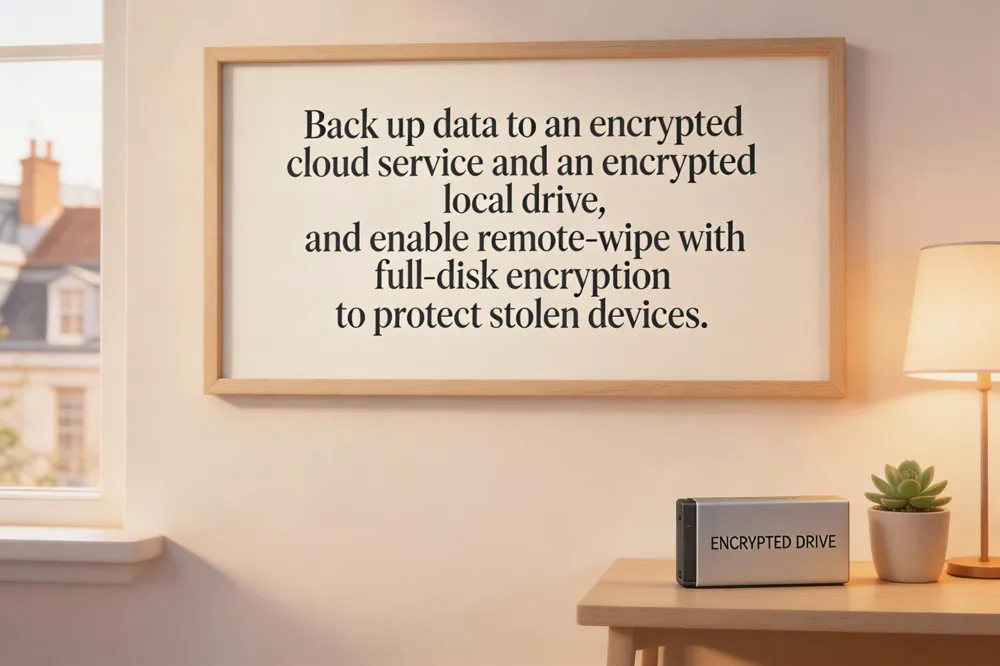
## How does remote wipe protect my data if the phone is stolen? Remote‑wipe features (Find My Device on Android, Find My iPhone on iOS) let you erase all stored data from a lost or stolen device with a single command. Once triggered, the device deletes user files, app data, and encryption keys, rendering the phone unusable and preventing attackers from extracting personal information. Pair remote wipe with full‑disk encryption and a strong screen‑lock; even if the wipe fails, encrypted storage keeps the data unreadable without the correct credentials.
Putting It All Together – A Secure Mobile Lifestyle
A robust mobile security routine starts with a strong lock screen—prefer a six‑digit PIN, password, or biometric—paired with automatic lock after a minute of inactivity. Keep the OS and all apps up‑to‑date, enable automatic patches, and activate device‑wide encryption so stolen data remains unreadable. Regularly back up contacts, photos, and documents to a cloud service or external storage, and enable remote‑wipe tools such as Find My Device or iCloud to locate, lock, or erase a lost phone. Review app permissions weekly, grant access only when required, and install a reputable security app that offers real‑time threat detection and remote alarm features.
When buying a phone, choose an authentic, unlocked device from Tidesmit. All Tidesmit models are sourced through authorized channels, guaranteeing safety certifications, genuine firmware, and support for international 5G, eSIM, and dual‑SIM configurations—critical for receiving timely security updates worldwide.
Finally, stay vigilant against emerging threats like AI‑driven malware (e.g., PromptSpy), NFC‑based attacks, and smishing. Use a VPN on public Wi‑Fi, avoid jailbreaking or rooting, and keep an eye on security alerts from Google Play Protect, Apple’s App Store, or your mobile‑threat‑defense solution. By combining disciplined habits, a trusted unlocked device, and continuous awareness, you build a resilient mobile lifestyle.